Your services are the building blocks for quotes, jobs, and invoices. Set them up once with a price and a unit, and you will never retype them again. Here is how.
1 Open Services and add your first one
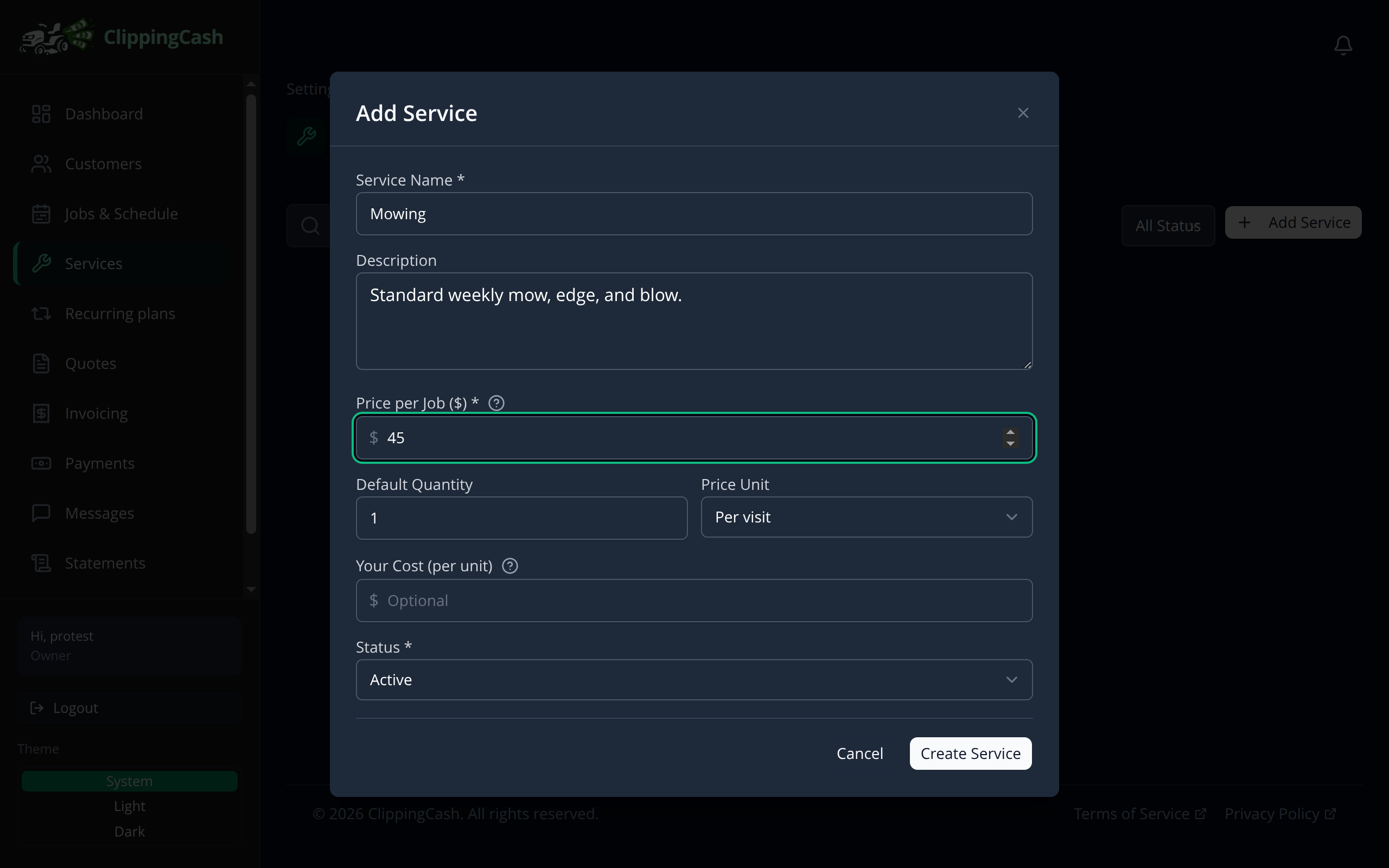
Go to Services and click Add Service. Give it a name, a short description, a price, and a price unit (flat, per visit, per hour, per acre, and more). You can also record your own cost so you can see your margin later.
If you use route optimization, fill in Typical time on site (minutes) too, from 5 to 480. It is how long a normal visit for this service takes your crew, and route planning uses it to size each stop. Leave it blank and the plan counts 60 minutes. A job’s own duration still wins, and so does a learned visit length if you turned that on. The time is copied onto new jobs when they are created. A recurring visit adds up the typical times of the services on the plan. Profit by property also uses it for a visit nobody timed, so the yard still gets an estimated per-hour rate.
2 Build out your catalog
Add a service for each thing you sell. Most lawn care crews start with a handful: mowing, cleanups, and trimming. Each one stays in your catalog, ready to drop onto a quote or invoice.
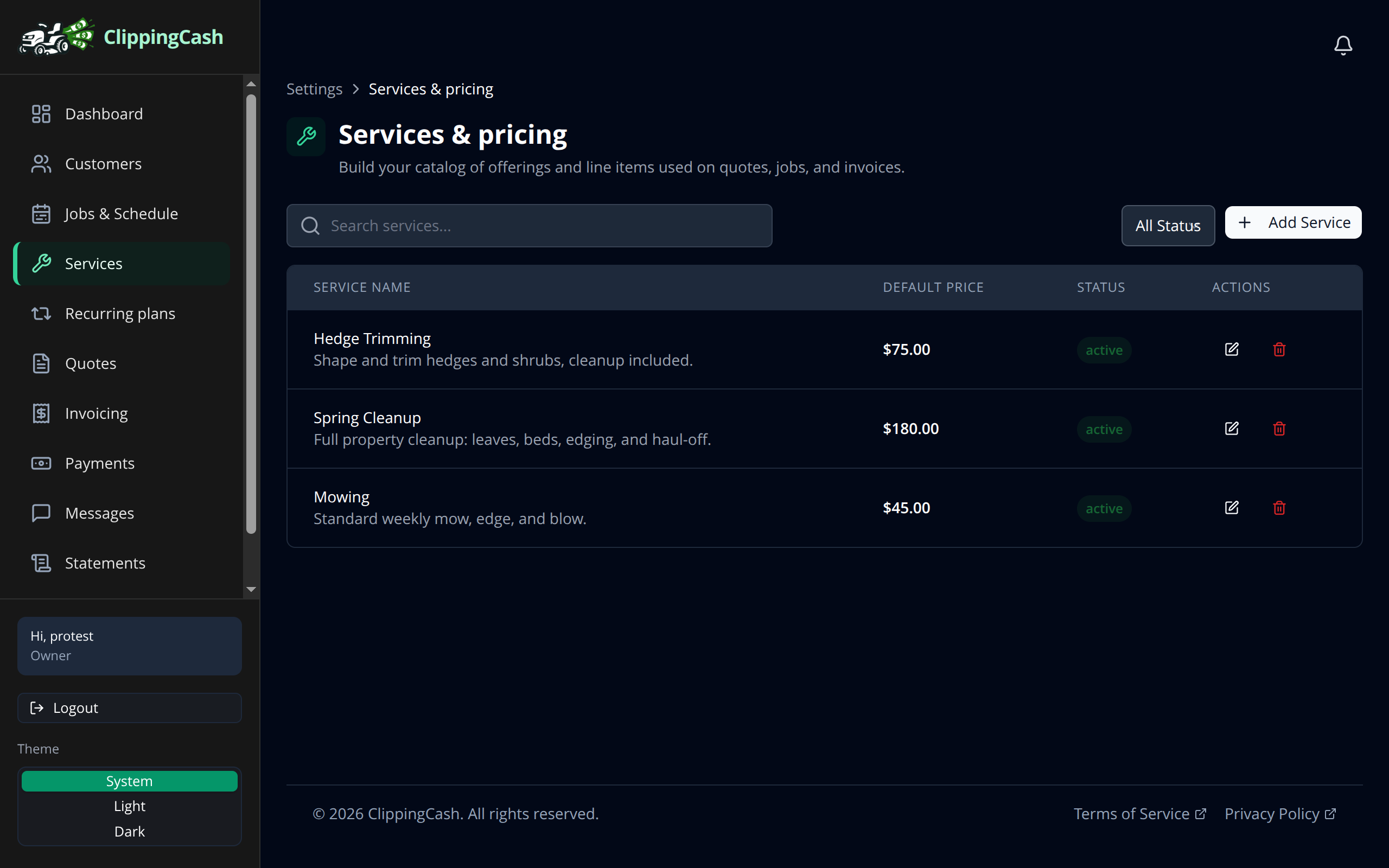
Prices have to be more than $0: the form will not save a service priced at zero.
Stop offering a service. Click the trash icon on a service. ClippingCash asks first, then turns the service off rather than deleting it. A turned-off service is no longer offered when you add a job or an invoice, and an older invoice that already uses it still shows it as (turned off).
Who can change services. The owner, admins and office staff can add, edit, price and turn off services. Bookkeepers and field workers can see the list but cannot change it.
3 Price by lawn size
Mowing is usually priced by the size of the yard, not by a flat number. Set that up once and any lawn you measure from satellite prices itself.
On the Services list, click the ruler icon on a service to open Area pricing, and tick Offer this service in Instant Quote. Then pick a Pricing model:
Per area rate + minimum charge. Choose the Rate unit, per 1,000 sq ft or per square yard, and enter the rate. Then:
- Minimum charge: the least you will mow any yard for, so a tiny lawn still pays for the stop.
- Base fee (optional): a set amount added to every price, for the drive and unloading.
- Free area (optional): square feet included before the rate starts counting.
Size bands (flat price per range). List the ranges you charge by, each with From (sq ft), To (sq ft) (leave the last one blank to mean “and up”) and a Price. A lawn is charged the price of the band it falls in. You can still set a minimum charge.
Round price up to keeps quotes on clean numbers: no rounding, or up to the nearest $1, $5 or $10. A new service rounds up to the nearest $5 until you change it. The form shows an example price for a 5,000 sq ft lawn, so you can check the setup reads the way you charge before you quote anyone.
Your flat price from step 1 is never used as the area rate. It is what fills in when you add the service to a quote, job or invoice by hand.