Finished a job and need to get paid? Invoicing takes about a minute. Most invoices generate themselves when you mark a job done, but you can also build one by hand anytime. Here is the manual flow.
1 Start a new invoice
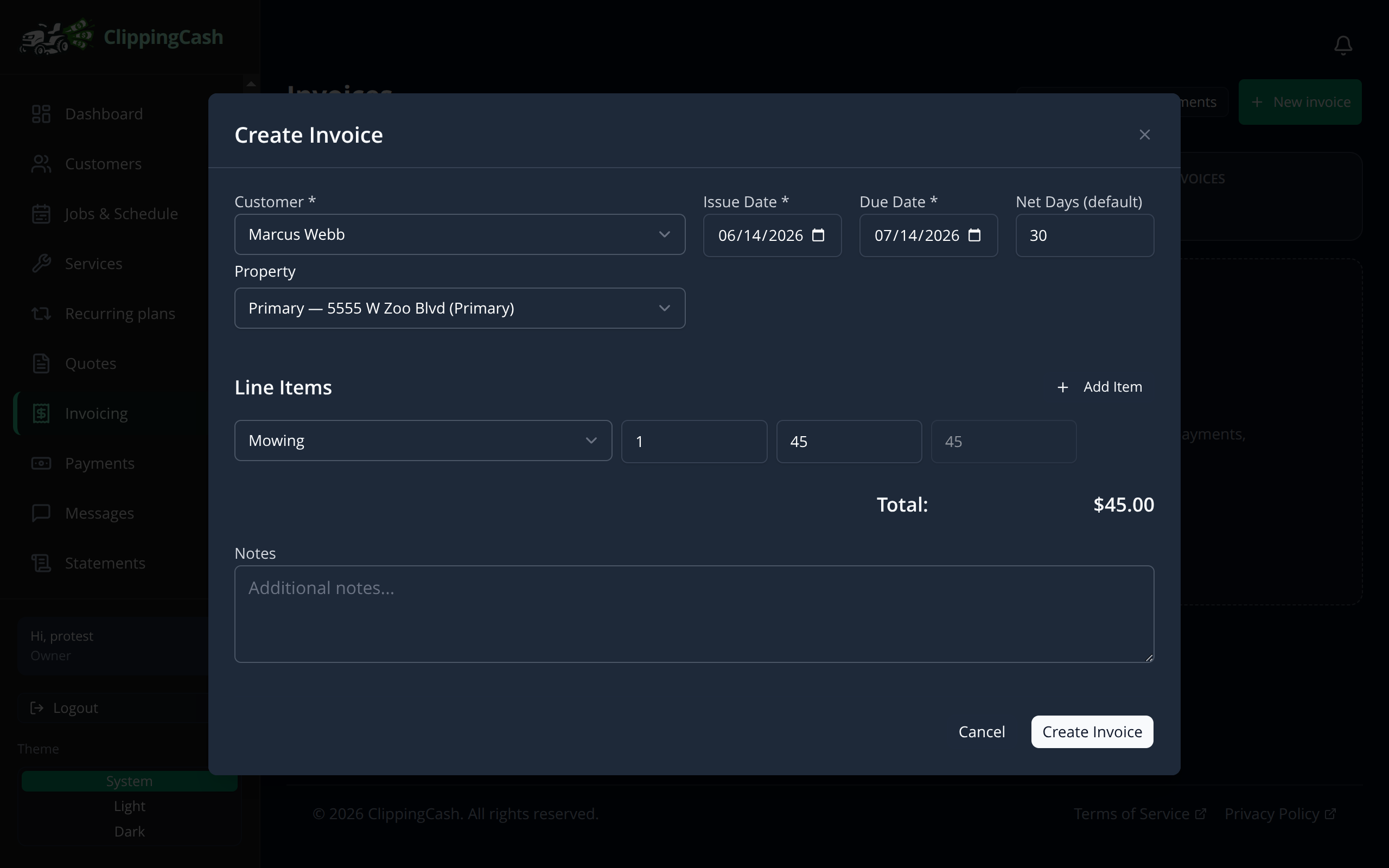
Go to Invoicing and click New invoice. Choose the customer and the issue date. The due date fills in from your due date terms, and you can change it. Then add line items from your service catalog. The price fills in automatically and the total updates as you go.
2 Review and send
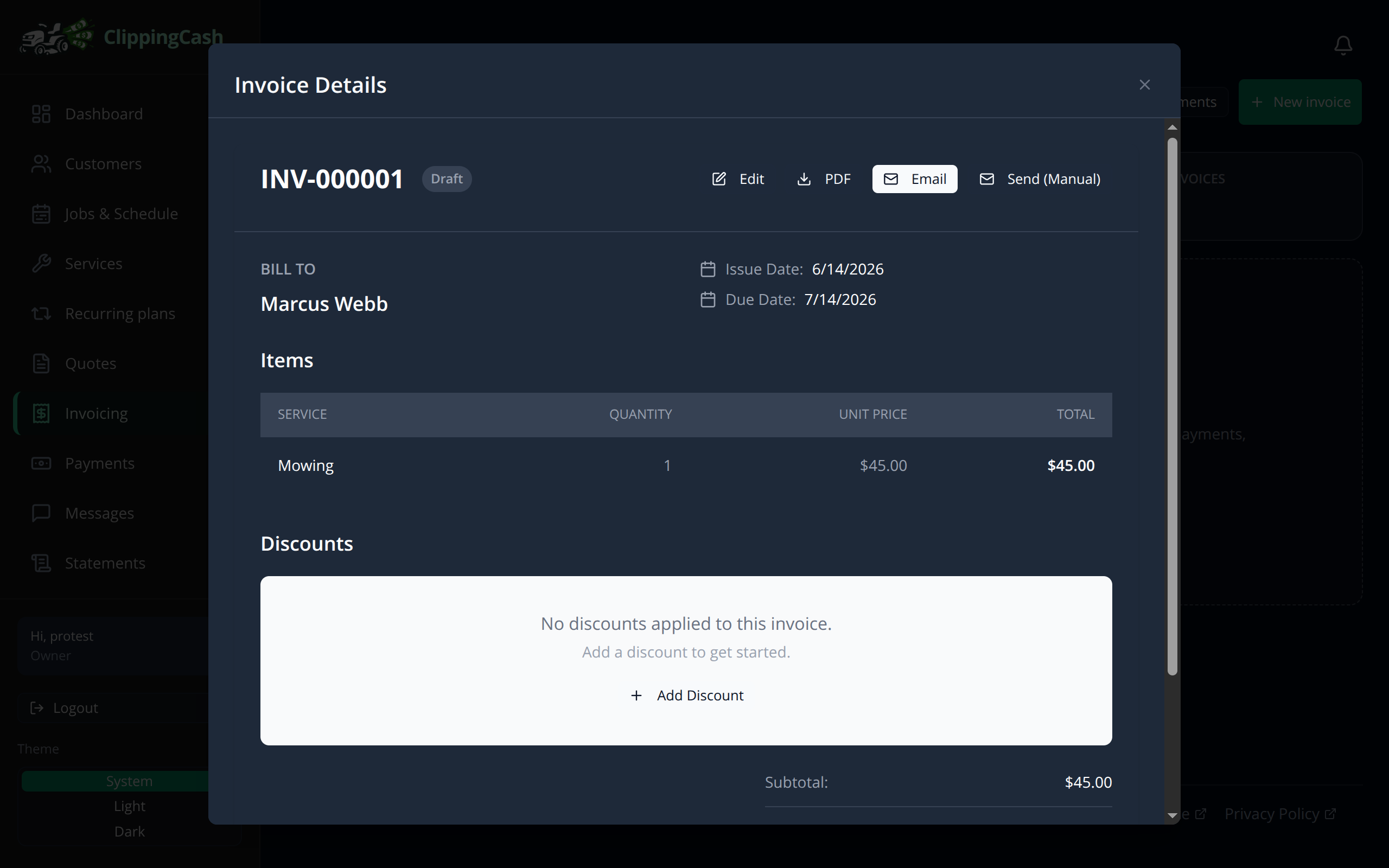
Your invoice gets a number and shows the bill-to, line items, totals, and balance due. If a late fee has been added, the totals show it as its own line. From here you can download a PDF (it uses the same layout as your statements, in your company brand color when Apply Company Branding is on and ClippingCash green when it is not), Email it to the customer, or mark it sent. If you edit an invoice, its PDF always reflects the edit: ClippingCash never serves an old copy. Regenerate rebuilds the PDF and the viewer then shows the new one. Customers can pay online right from the invoice once your payments are connected.
Need the customer to pay while you have them on the phone? On an invoice that is not paid or void, Copy pay link copies the same secure pay link the invoice email and text carry, ready to paste into a text or message of your own. The owner, an admin, office staff and bookkeepers have it; field workers do not. Until your business can take cards, the button is replaced by a short note, with a Set up payments link for the owner and admins, so nobody hands a customer a link that cannot work. If a customer opens a pay link before cards are set up, the pay page says your business cannot take card payments online yet and asks them to contact you to pay another way, instead of showing a failed payment.
An invoice made from a job that did several services, like a plan visit for Mowing $52.50 and Edging $15, lists one line per service instead of one combined line, as long as those prices add up to the job’s price. A job with one service or a typed price keeps its single line, so the total is never different.