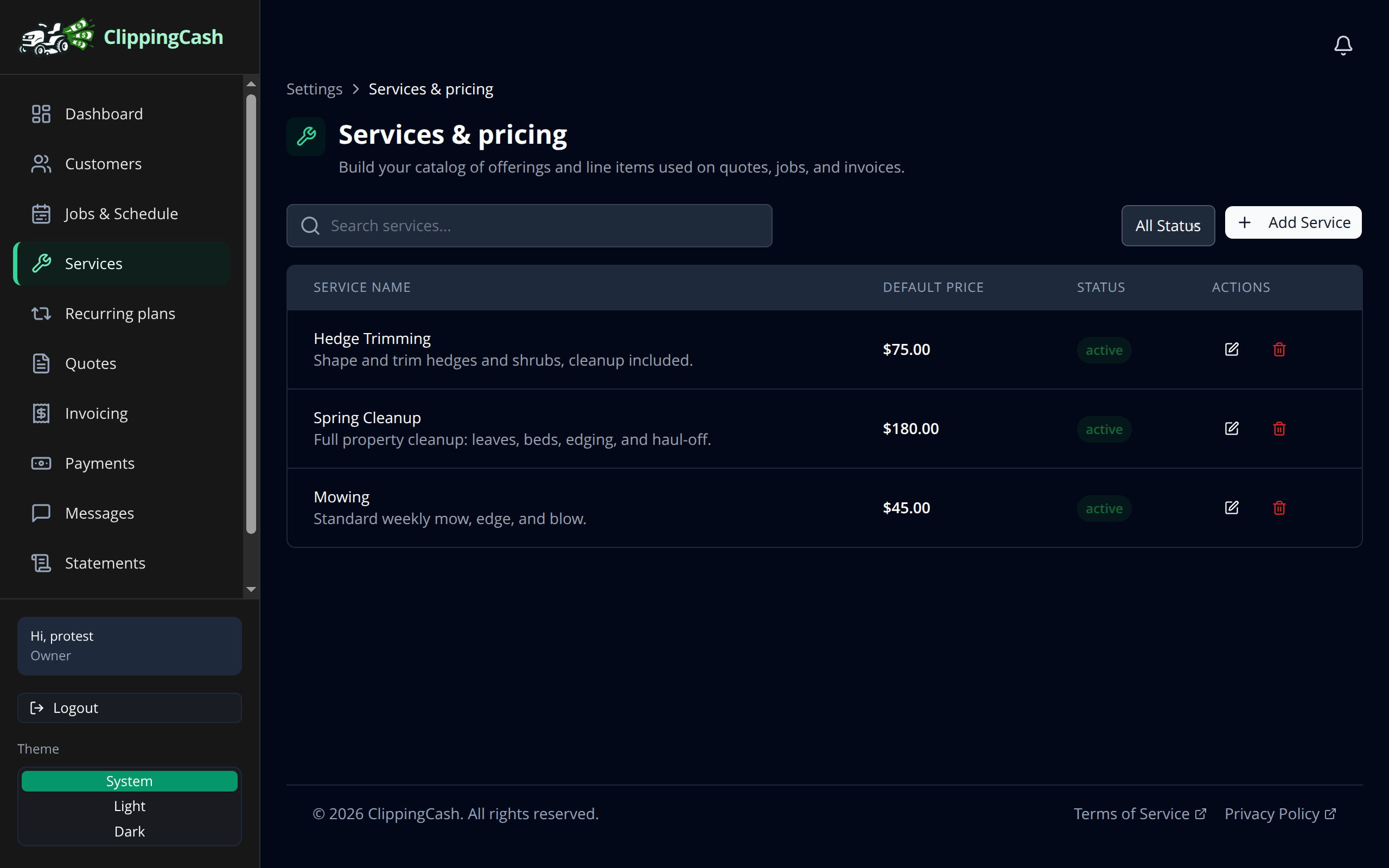
Your services are the building blocks for quotes, jobs, and invoices. Set them up once with a price and a unit, and you will never retype them again. Here is how.
1 Open Services and add your first one
Go to Services and click Add Service. Give it a name, a short description, a price, and a price unit (flat, per visit, per hour, per acre, and more). You can also record your own cost so you can see your margin later.
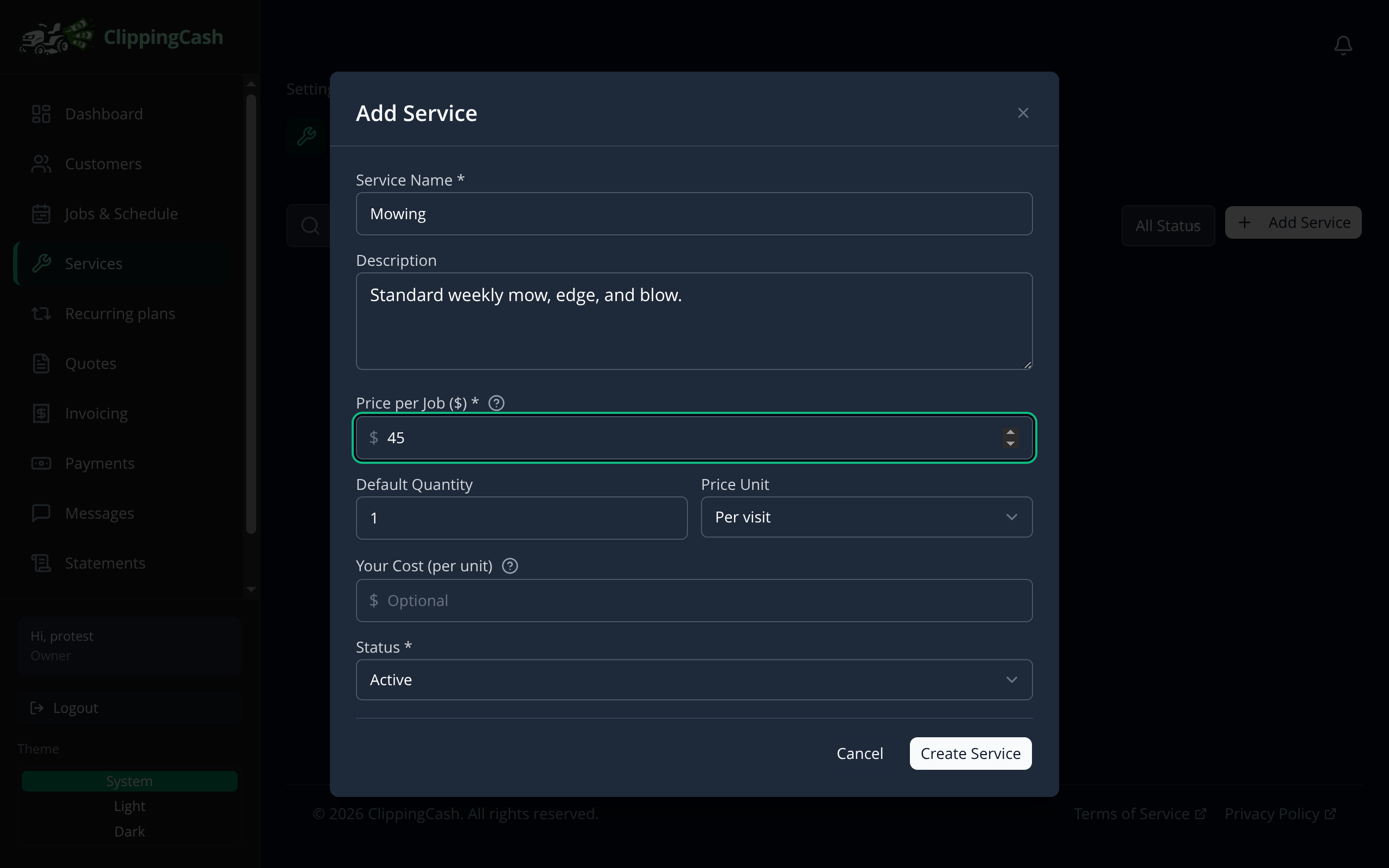
2 Build out your catalog
Add a service for each thing you sell. Most lawn care crews start with a handful: mowing, cleanups, and trimming. Each one stays in your catalog, ready to drop onto a quote or invoice.