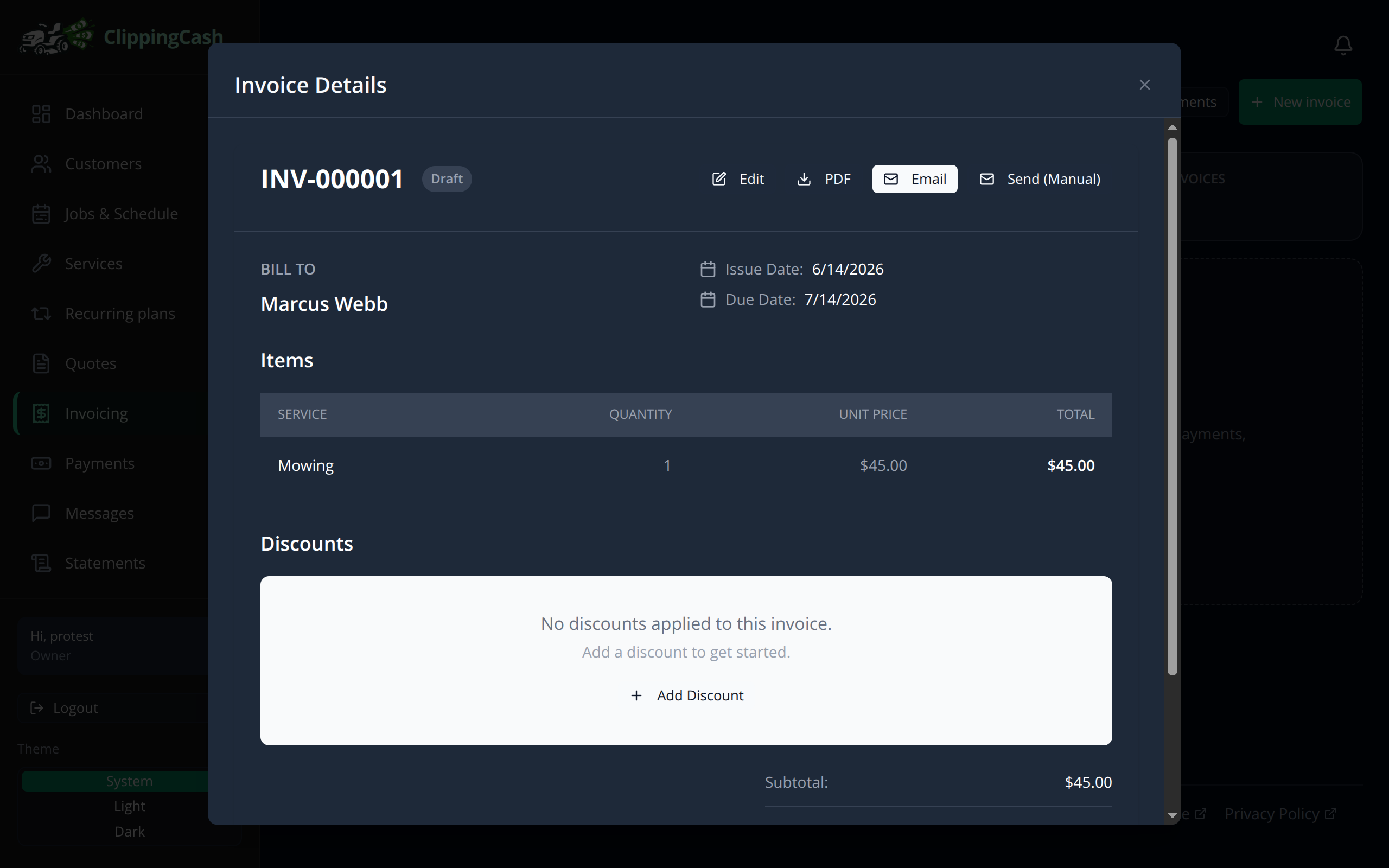
Finished a job and need to get paid? Invoicing takes about a minute. Most invoices generate themselves when you mark a job done, but you can also build one by hand anytime. Here is the manual flow.
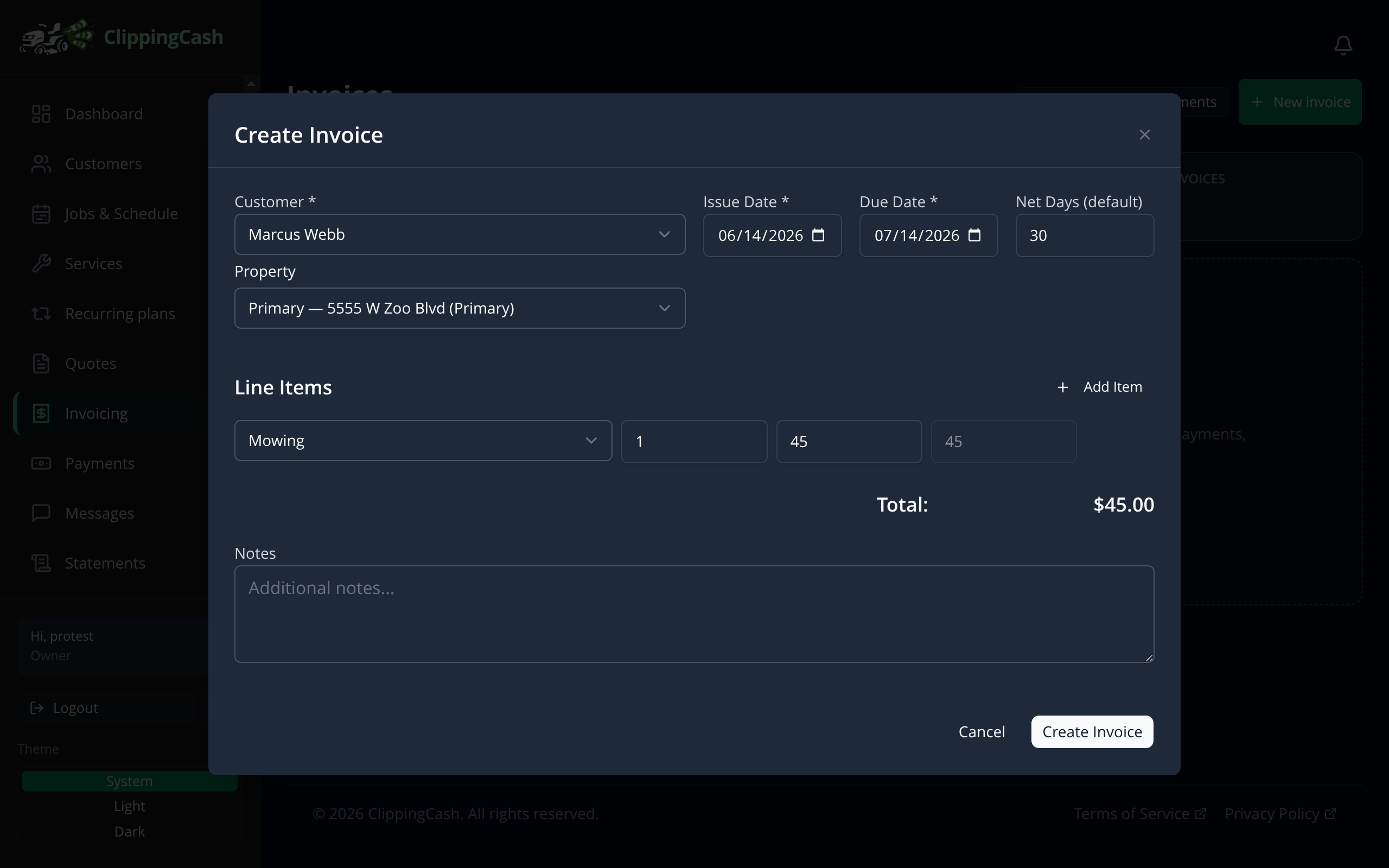
1 Start a new invoice
Go to Invoicing and click New invoice. Choose the customer, set the issue and due dates, then add line items from your service catalog. The price fills in automatically and the total updates as you go.
2 Review and send
Your invoice gets a number and shows the bill-to, line items, totals, and balance due. From here you can download a PDF, Email it to the customer, or mark it sent. Customers can pay online right from the invoice once your payments are connected.