New to ClippingCash? These short, screenshot-by-screenshot guides walk you through everything — from setting up your services to getting paid and reading your numbers. Each one takes just a couple of minutes. Start at the top, or jump to whatever you need.
Getting set up
Set up your account & company
Set your company name, logo, contact details, and payment preferences from one Settings hub.
Set up your services & pricing
Build your service catalog once with a price and unit, and reuse it on every quote and invoice.
Add a customer
Create a customer with their address and contact info so you can quote, schedule, and bill them.
Your daily workflow
Create & send a quote
Build a professional quote with line items and send it for the customer to approve.
Schedule & complete a job
Put a job on the schedule, then complete it on-site with GPS-stamped before/after photos.
Set up recurring plans
Put repeat mowing and maintenance on autopilot. Set a frequency and let the app schedule it.
Optimize your route
Order the day's stops for less driving, and see drive time and miles before you head out.
Getting paid
Create & send an invoice
Pick a customer, drop in a service, and send a clean invoice with a due date and pay link.
Record a payment
Mark an invoice paid — cash, check, card, or ACH — and keep your books current.
Take card payments online
Connect Stripe once, then collect card payments from invoices and the customer portal.
Send a statement
Generate a clear account statement of charges and payments for any customer and date range.
Customers & team
Text your customers
Send reminders, quote and invoice texts, and keep the whole conversation on the customer record.
Set up the customer portal
Give customers a branded portal to view quotes and invoices and pay online. Invite in one click.
Add a team member
Invite field workers by email, set their role, and assign them to jobs and crews.
Know your numbers
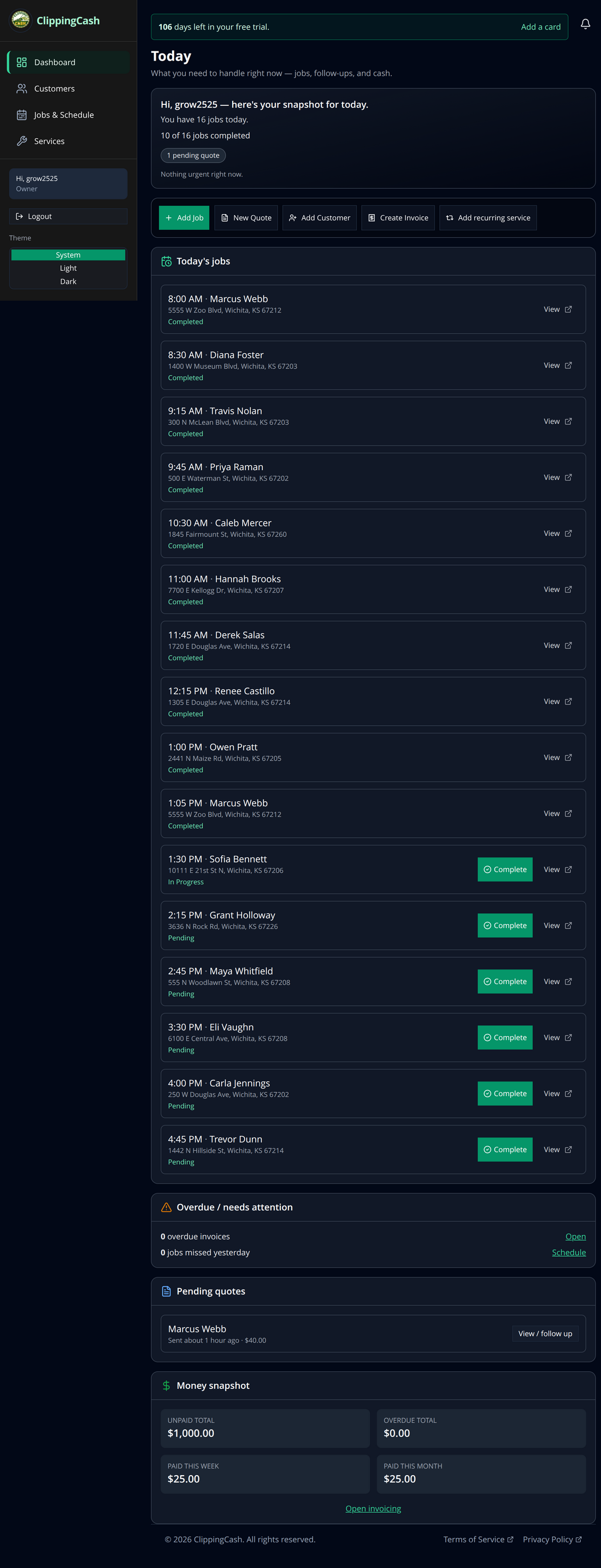
Want to see the whole picture first? Here’s the owner dashboard, where today’s jobs, pending quotes, and your money snapshot all live in one place: